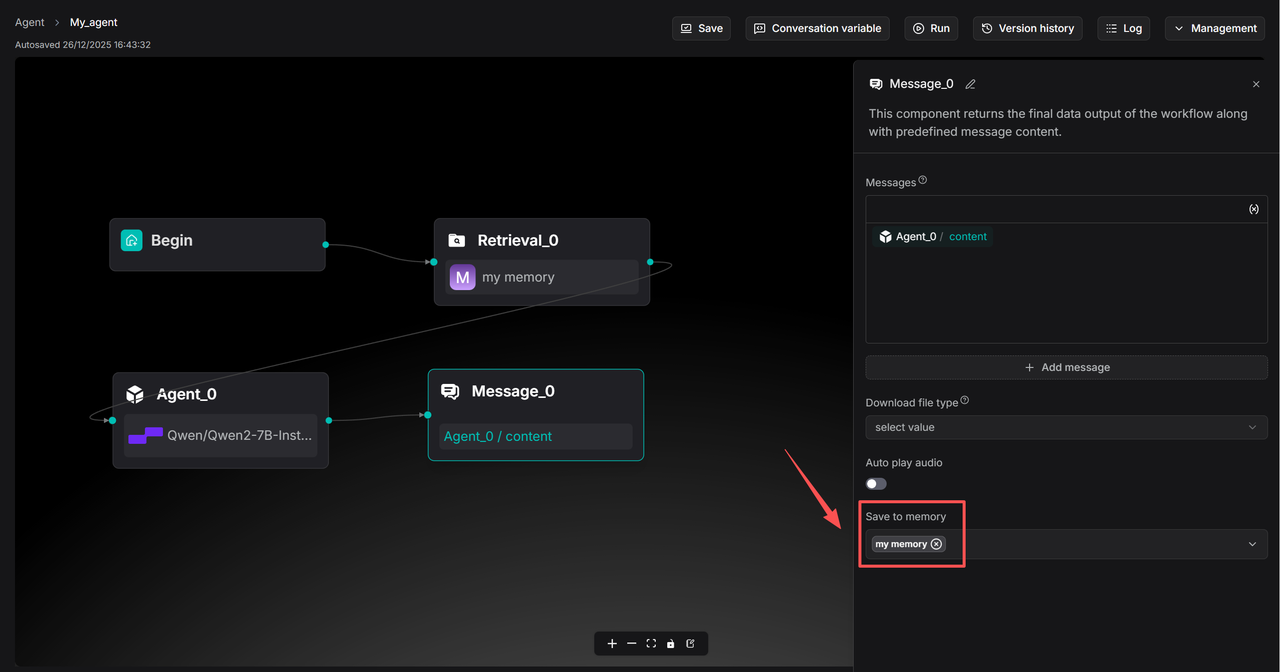
Message component
A component that sends out a static or dynamic message.
As the final component of the workflow, a Message component returns the workflow’s ultimate data output accompanied by predefined message content. The system selects one message at random if multiple messages are provided.
Configurations
Status
The HTTP status code (200 ~ 399) to return when the entire workflow completes. Available only when you select Final response as Execution mode in the Begin component.
Messages
The message to send out. Click (x) or type / to quickly insert variables.
Click + Add message to add message options. When multiple messages are supplied, the Message component randomly selects one to send.
Save to memory
Save the conversation to specified memories. Expand the dropdown list to either select all available memories or specified memories: